VPN infrastructure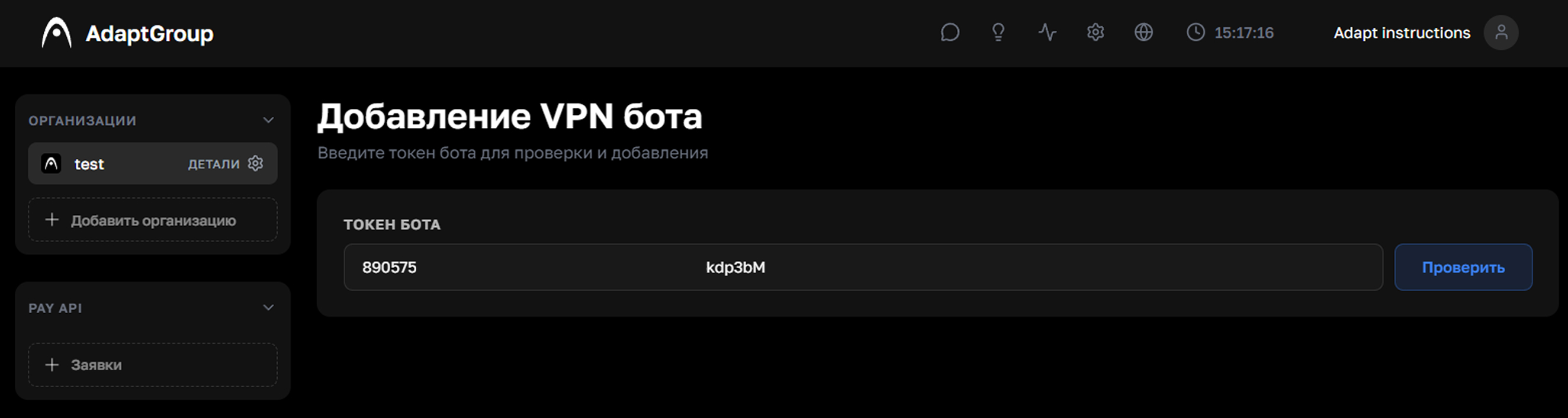
Adding a VPN bot with its BotFather token in the AdaptGroup dashboard
A Telegram VPN bot under your brand.
Connect a bot with its BotFather token. Configure plans, pricing, access, appearance and promotion in the AdaptGroup dashboard.
Connect the bot in four steps
This launch path does not require a separate backend or API integration.
- 01
Create the bot
Send /newbot to @BotFather and choose a username ending in bot.
- 02
Copy the token
BotFather returns a token after the Telegram bot is created.
- 03
Check it in AdaptGroup
Open VPN → Add Bot, paste the token and click Check.
- 04
Confirm
Once the bot is recognized, click Add and it will appear in your dashboard.
Configure after connecting
Plans and pricingStandard, Pro and Premium for 1, 5 or 15 devices; base, markup or custom prices.Trial and free accessOffer a 1–3 day trial or free subscription with required channel checks.Bot appearanceConfigure images and available screen texts in Russian and English.UTM and analyticsCreate links and campaigns, then track users, revenue, CAC, ROI and conversion.